Golf Pool Leaderboard Features
A guide to reading, navigating, and sharing your golf pool leaderboard — including live scoring, team breakdowns, missed cuts, and how to give everyone access.
Your pool leaderboard
The leaderboard is the main view of your pool once entries are in and tournament play begins. It shows every team's current standing, the golfers behind each score, and how the field stacks up in real time as the tournament progresses.
Understanding the standings
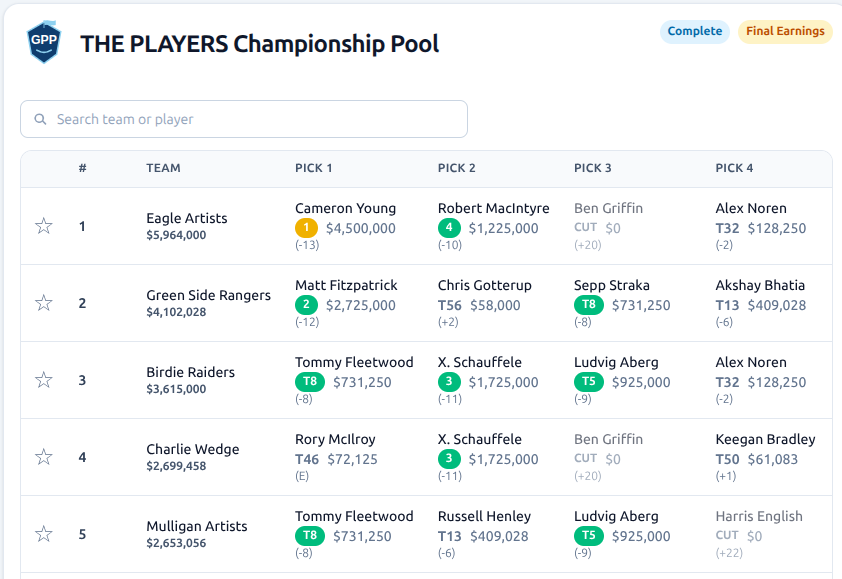
Teams are ranked from best to worst based on the scoring format you chose when creating the pool.
In To Par pools, teams with the lowest combined score appear at the top. In Earnings pools, teams with the highest total prize money earned appear at the top.
Each row in the standings shows:
- Favorite — a filled star icon indicates the team is a favorite
- Rank — the team's current position in the pool
- Team — the name the entrant chose when they submitted their picks
- Total — the team's current combined score (strokes under/over par, or total earnings)
- Picks — one column for each configured tier and the golfer that was selected for that tier
- Colors — a yellow badge indicates the tournament leader, a green badge indicates a top 10 golfer

Following a team with the favorite star
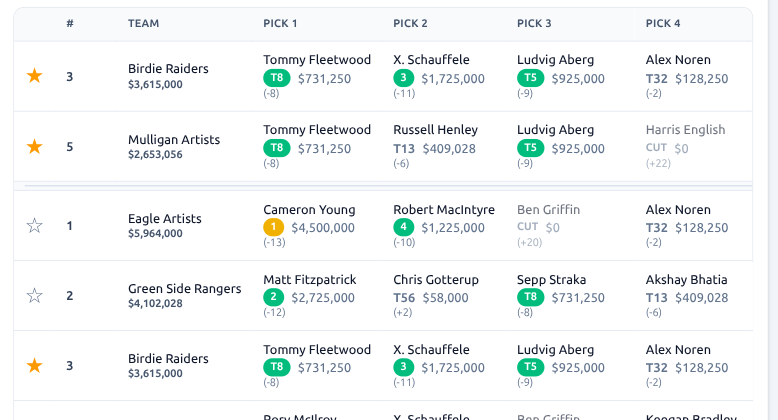
Each row in the leaderboard has a star icon you can click to mark that team as a favorite or click the yellow star icon to remove it.
Favorited teams are pinned to the top of the leaderboard so they stay visible no matter where they sit in the overall standings. This is useful when you want to track a specific team — your own entry, a friend's team, or a rival — without scrolling through the full field to find it.
Favorites are saved in your browser, so they persist across page reloads and come back the next time you visit the leaderboard on the same device. They are not shared with other viewers.
Missed cuts, withdrawals, and disqualifications
The leaderboard handles missed cuts and other eliminations automatically.
When a golfer misses the cut (CUT), withdraws (WD), or is disqualified (DQ), their row is marked clearly in the team breakdown.
In To Par pools, each missed round after the cut scores as +8. For example, if a golfer misses the cut after the second round at (-2), they will receive (+8) for the third round and fourth round for a total of (+14).
For (WD) and (DQ), golfers get (+8) for each round.
In Earnings pools, golfers who do not complete the tournament contribute $0 to the team's total earnings. One exception is that some tournaments such as the U.S. Open award cut golfers $1000.
The leaderboard updates these scores as official results are posted, so you do not need to adjust anything manually.

Live scoring and updates
Scores update automatically as the tournament progresses, usually every 5 minutes. The leaderboard reflects the latest available data from the official tournament feed, typically within a few minutes of hole completions.
A countdown timer near the top right of the leaderboard shows when the next refresh of scores will happen. Reloading the page or clicking on the countdown timer will always pull the latest data.
Tournament round status
The leaderboard header shows the current state of the tournament: which round is in progress, how many groups have finished for the day, and whether scoring is complete for the round.
This context helps players understand whether the standings are still in flux or have settled for the day.
Sharing your leaderboard
Any pool leaderboard can be shared with players and spectators using its direct URL.
Copy the URL from your browser address bar and send it to anyone who wants to follow along. Recipients do not need to have a Golf Pool Pro account to view the leaderboard. The public view shows the full standings and team breakdowns without exposing the pool management controls.

If you want to share from the pool management page, there is also a Share button that copies the leaderboard link directly to your clipboard.
Before the tournament starts
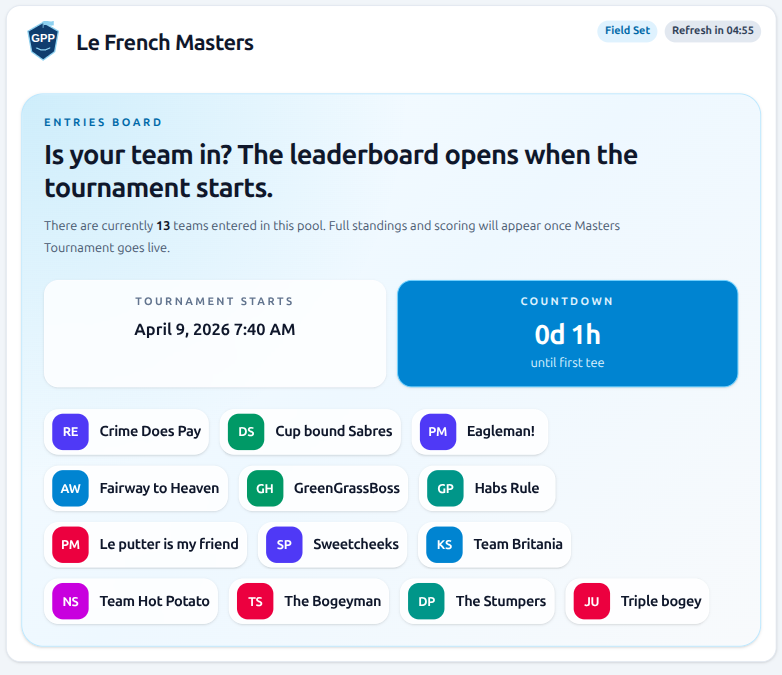
Before tee time on the first round, the leaderboard is visible but only shows the teams entered and does not show the players selected.
Players can use this view to see who else entered and review their own picks before the competition locks in.